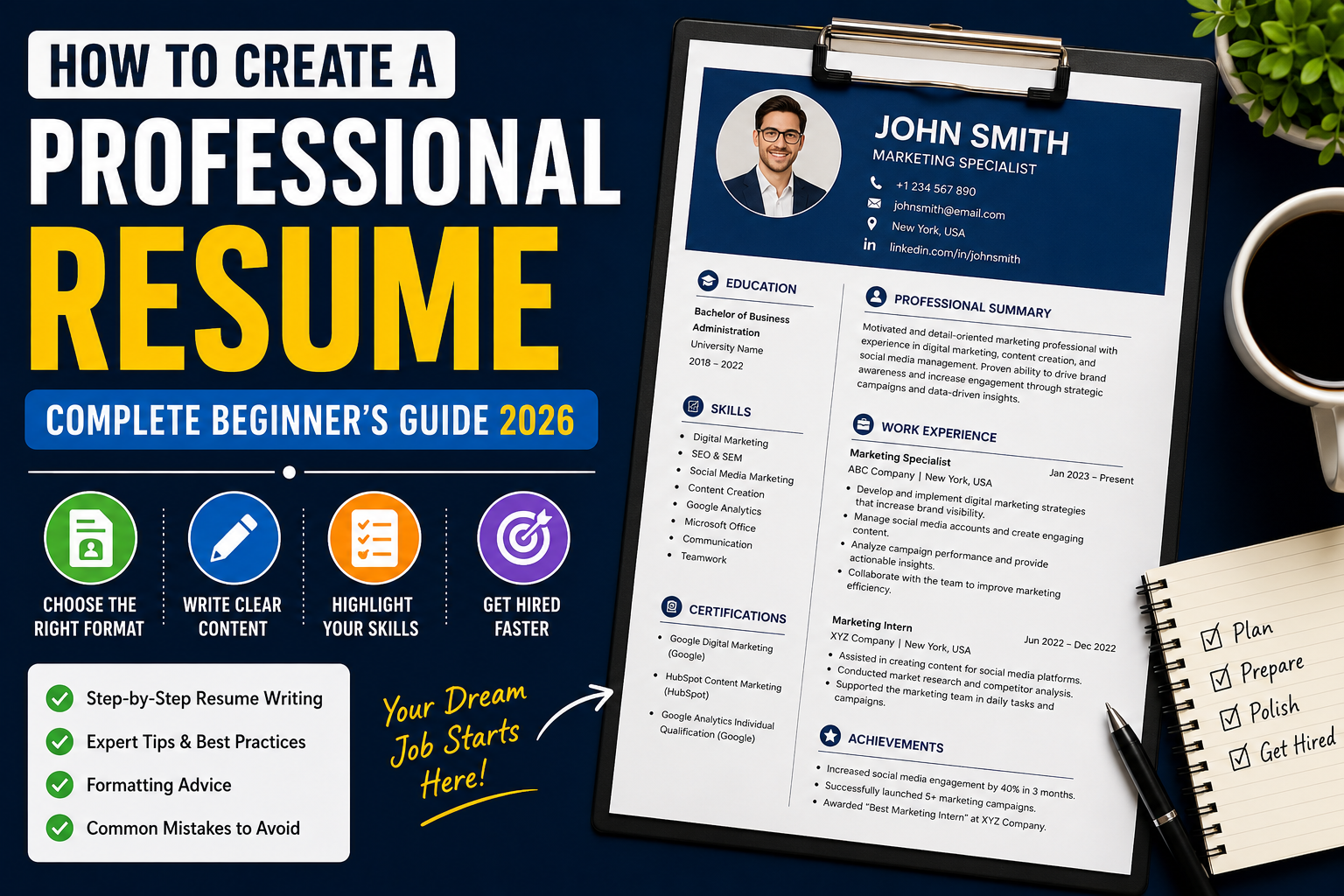
A professional resume is one of the most important tools for anyone looking for a job. It is often the first impression an employer has of you, and it can determine whether you get an interview or your application is rejected. In today’s competitive job market, simply listing your education and experience is not enough. Employers receive hundreds of applications for a single position, so your resume must be clear, well-organized, and focused on your strengths.
Creating a professional resume may seem difficult if you have never done it before, but it becomes much easier when you understand what employers are looking for. A good resume highlights your skills, experience, achievements, and qualifications in a way that is easy to read. Whether you are a student, a fresh graduate, or an experienced professional, learning how to write an effective resume can significantly improve your chances of getting hired.
In this guide, you will learn how to create a professional resume step by step, what information to include, and how to avoid common mistakes that prevent candidates from getting interviews.
Why a Professional Resume Is Important
A resume is more than just a document. It is a marketing tool that introduces you to employers before they meet you. Recruiters usually spend only a few seconds reviewing each resume, so every section should quickly communicate your value.
A professional resume shows that you are organized, serious about your career, and capable of presenting information clearly. It also helps employers understand whether your qualifications match the job requirements.
Many companies now use Applicant Tracking Systems (ATS) to scan resumes before a recruiter even reads them. A well-written resume with relevant keywords has a better chance of passing these systems and reaching the hiring manager.
Choose the Right Resume Format
Before writing your resume, select the format that best represents your experience.
Chronological Resume
This is the most common format. It lists your work experience from the most recent position to the oldest one. It works well for people with consistent work experience.
Functional Resume
A functional resume focuses on skills rather than work history. It is suitable for beginners, students, career changers, or people with employment gaps.
Combination Resume
A combination resume includes both your skills and work experience. This format is ideal for professionals who have relevant experience and want to highlight both their abilities and achievements.
Start with Your Contact Information
The first section of your resume should contain accurate contact details.
Include:
- Full Name
- Professional Email Address
- Phone Number
- City and Country
- LinkedIn Profile (optional)
- Portfolio Website (if applicable)
Avoid using unprofessional email addresses. Instead, use an email that includes your real name.
Write a Strong Professional Summary
Your professional summary is one of the first things employers read. It should briefly explain who you are, what skills you have, and what value you can bring to the company.
For example:
“Motivated and detail-oriented graduate with strong communication and problem-solving skills. Passionate about learning new technologies and helping businesses achieve their goals through dedication, teamwork, and continuous improvement.”
Keep your summary short, professional, and relevant to the job you are applying for.
Highlight Your Skills
Employers want to know what you can do. Include both technical and soft skills that match the position.
Examples of technical skills include:
- Microsoft Office
- Google Workspace
- Data Analysis
- Graphic Design
- Content Writing
- SEO
- Web Development
- Digital Marketing
- Video Editing
Soft skills may include:
- Communication
- Leadership
- Teamwork
- Time Management
- Problem Solving
- Critical Thinking
- Adaptability
- Creativity
Only include skills that you actually possess.
Describe Your Work Experience
Your work experience should clearly explain your responsibilities and achievements.
For each position include:
- Job Title
- Company Name
- Location
- Employment Dates
- Main Responsibilities
- Key Achievements
Instead of writing simple duties, explain how you contributed to the company.
For example:
Weak Example
- Managed social media accounts.
Strong Example
- Managed company social media accounts and increased audience engagement through consistent content planning and creative campaigns.
Showing achievements makes your resume much stronger.
Add Your Education
Your education section should include:
- Degree or Qualification
- School, College, or University Name
- Graduation Year
- Relevant Courses (optional)
- Academic Achievements (optional)
If you are a fresh graduate, your education can appear above your work experience.
Include Certifications
Professional certifications help demonstrate your willingness to learn.
Popular certifications include:
- Google Digital Marketing
- Google Analytics
- Microsoft Office
- HubSpot Content Marketing
- Meta Blueprint
- Coursera Certificates
- LinkedIn Learning Courses
Even free certifications can improve your resume.
Showcase Your Achievements
Achievements help employers understand the impact of your work.
Examples include:
- Employee of the Month
- Increased website traffic
- Improved customer satisfaction
- Completed successful projects
- Won academic competitions
- Organized community events
Whenever possible, include numbers to support your achievements.
Keep Your Resume Simple
A clean layout is easier to read than a complicated design.
Use:
- Professional fonts
- Clear headings
- Consistent spacing
- Bullet points
- Simple formatting
Avoid unnecessary colors, graphics, or decorative elements unless you are applying for a creative position.
Tailor Your Resume for Every Job
One of the biggest mistakes job seekers make is sending the same resume to every employer.
Read the job description carefully and customize your resume to match the required skills and qualifications.
This increases your chances of passing ATS systems and getting noticed by recruiters.
Proofread Before Sending
Grammar and spelling mistakes create a poor impression.
Before submitting your resume:
- Check spelling.
- Review grammar.
- Verify contact information.
- Ensure dates are correct.
- Read your resume aloud.
- Ask someone else to review it.
A small mistake can sometimes cost you an interview opportunity.
Conclusion
Creating a professional resume is one of the most important steps toward building a successful career. A clear layout, strong professional summary, relevant skills, detailed work experience, and accurate contact information help employers understand your qualifications quickly. By keeping your resume simple, tailoring it for each job, and carefully proofreading it before submitting, you can greatly improve your chances of getting shortlisted.
In the next part, you’ll learn how to write powerful achievement statements, optimize your resume for ATS software, avoid common resume mistakes, create a resume with no experience, and discover expert tips that can help you stand out in today’s competitive job market.